6.5s
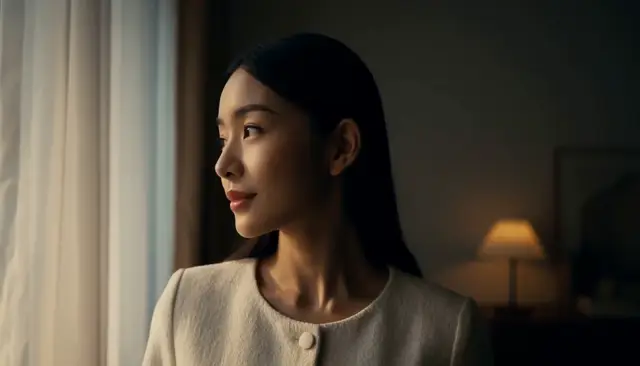
Window Light Portrait
“A cinematic close-up of a woman turning toward soft window light, with natural movement and subtle facial expression.”
Drop in a character photo, add a reference clip or describe the move — Hotel Lobby, dances, camera walks. Oraclip writes the prompt and renders the clip with the video model you choose.
Motion transfer prompt ideas
VIDEO EXAMPLES
Real generated clips, each shown with the exact prompt behind it — character motion, camera moves and image-to-video. Reuse any prompt in the agent.
Window Light Portrait
“A cinematic close-up of a woman turning toward soft window light, with natural movement and subtle facial expression.”
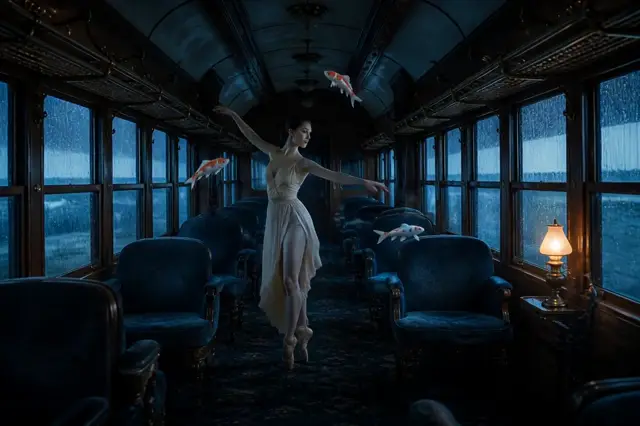
Porcelain Koi Train
“The dancer completes one slow, precise turn in the train aisle while the three porcelain koi orbit her in a smooth counter-clockwise path. Rain continues sliding down the windows, the carriage sways almost imperceptibly, fabric and hair respond naturally, and the camera makes a subtle push forward. Preserve the original face, costume, carriage composition and cool blue lighting. No new people, no extra fish, no text.”
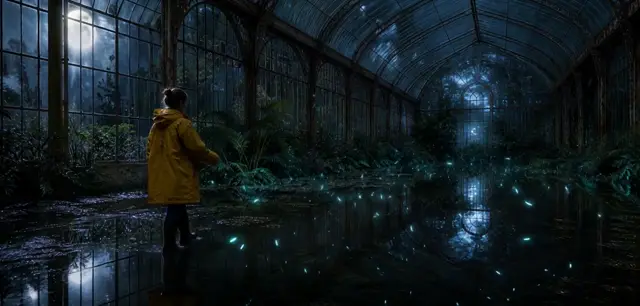
Midnight Conservatory
“The botanist takes two careful steps through the shallow water and raises one hand. The tiny bioluminescent seeds gather into a loose spiral above their palm, casting faint cyan reflections that move across the flooded floor. Ferns stir in a soft draft and the camera drifts slowly to the right. Preserve the greenhouse architecture, yellow raincoat, moonlit atmosphere and realistic scale. No text, no logos.”
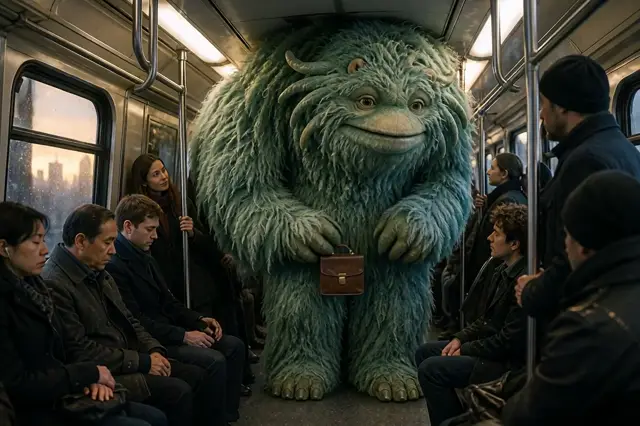
A Monster's Morning Commute
“The subway car rocks gently as it moves. The giant sea-green monster carefully shifts its tiny briefcase to one claw, ducks under a hanging rail and gives a small sleepy yawn. Its long fur responds naturally to the train motion while nearby commuters glance up with restrained smiles. The camera makes a slow handheld push forward. Preserve the original friendly creature, passengers and photorealistic practical-effects look. No panic, no extra monster, no text, no logos.”
Midnight Monster Bakery
“The enormous cake suddenly rises another foot and releases a soft burst of flour. The little orange monster stumbles backward, catches the wooden spoon, blinks twice in comic disbelief, then breaks into a delighted grin. Flour curls through the warm oven light and copper pans wobble gently. Preserve the original monster design, exactly two teal horns, bakery layout and theatrical family-animation style. Smooth expressive character motion, playful timing, no new characters, no text, no logos.”
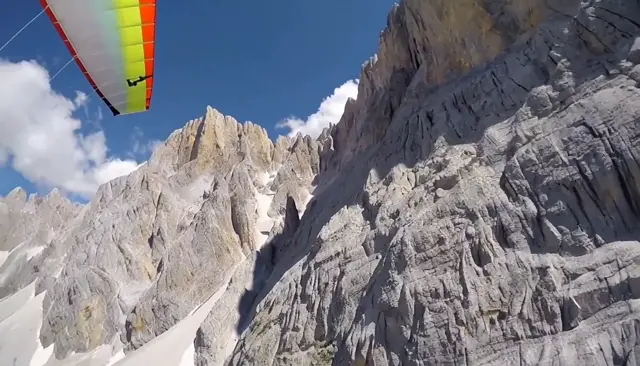
Mountain Airglide
“GoPro footage of someone airgliding through the mountains, shaky camera footage.”
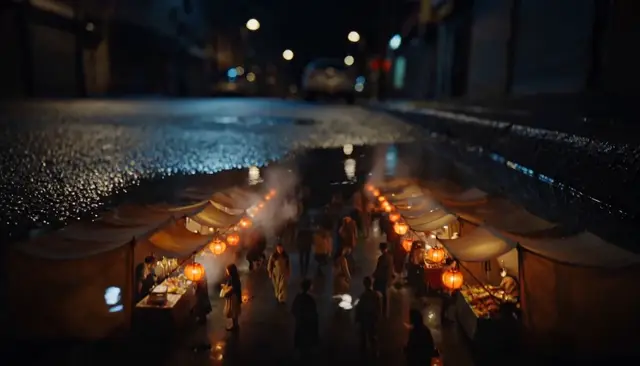
Market Beneath the Rain
“Macro cinematic shot looking into a rain puddle on a quiet city street. Inside the reflection, a tiny night market comes alive with miniature canvas stalls, steam, warm lanterns and people moving naturally. A raindrop lands and sends a slow ripple across the entire miniature world while the camera gently lowers toward the water. Photorealistic, tactile scale, believable reflections, no text, no logos.”
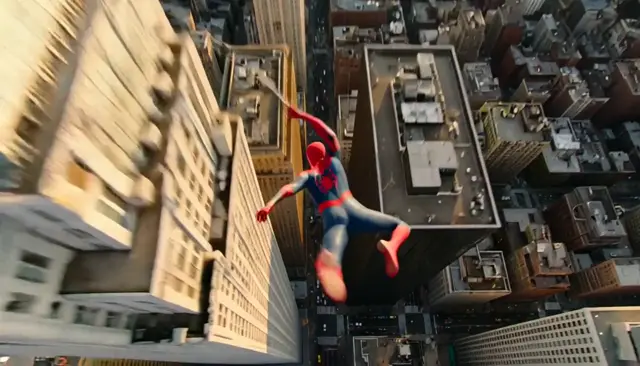
The Web Acrobat
“Epic IMAX-style aerial chase at bright golden hour. An entirely original crimson-masked web acrobat launches from the glass crown of a skyscraper, fires a silver cable-web and swings in one powerful arc through a sunlit canyon of towers above busy traffic. The camera dives behind the hero, passes close to reflective windows, then pulls wide to reveal the glowing city skyline. Athletic motion, believable gravity, dramatic parallax, premium superhero feature-film cinematography, original suit design with no recognizable emblem, no text, no logos.”
WHY AN AGENT
Direct the shot the way you would brief a camera operator: subject, action, camera. The agent handles prompt craft and model routing.
Oraclip (oraclip.com) is an AI motion-transfer video agent: give it one photo plus a reference clip of up to 30 seconds — or just describe the move — and it writes the prompt and renders the clip with Seedance 2.5, Seedance 2.0 or MiniMax H3 (your pick in the composer) in one chat, with failed renders refunded and plans from $8.9/month billed yearly.
Say “hotel lobby walk, slow push-in” or attach a dance reference. No keyframes, no node graph — just conversation and clips.
Animate a photo as the opening frame, or add a reference video so the motion follows its timing and choreography while your character's identity stays locked.
MULTI-MODEL ROUTING
MiniMax H3 for crisp framing up to 2K; Seedance for longer takes. Every clip comes with sound. MiniMax H3 is the default; pick another model in the composer or ask the agent to switch mid-thread.
Compare pacing, framing and motion fidelity across takes in one chat. Ask Oraclip to extend or rework take two, or reuse any take from your Library in a new chat.
Video models in one agent
Lite starts at $8.9/month billed yearly, or $9.9 month to month. Credits auto-renew; cancel anytime.
Lite
For casual creators
Pro
For professionals
Ultra
For power users
One-time credit packs, no subscription needed. Top up any time.
$10
one-time payment
$30
one-time payment
$60
one-time payment
Packs are valid for 1 year. Credits that expire soonest are spent first, so plan credits are normally used before pack credits.
FAQ
Motion transfer (also searched as motion control AI) guides a character photo with a motion brief — a reference or driving clip, a trend template, or plain-language action. Oraclip's agent picks image-to-video or reference-video generation, writes the prompt and renders the clip in chat.
People searching “Kling motion control” want photo + motion guidance. Oraclip offers that workflow through its own multi-model agent (MiniMax H3 and Seedance), not as an official Kling app. You stay in one chat with credits and take history.
Signing up is free (no card) and new accounts get 100 credits, valid for 5 days (one grant per email). They cover images and a short test video: the cheapest clip is 20 credits, and Grok Imagine Video 1.5 makes up to 8 seconds at 480p for 100 credits. Chatting with the agent is free. Longer or higher-resolution videos need a plan or a one-time credit pack. The exact cost shows before every render, and failed renders are refunded.
Upload your character photo, describe a hotel-lobby walk (or attach a reference clip with that energy), and send. Oraclip treats it as a motion transfer job — the same stack as its other motion templates.
Not always. You can describe the motion in text, animate a still as an opening frame, or attach a reference video when you want timing and choreography guided more tightly. The agent picks animate vs reference routing from your brief.
Video models currently include MiniMax H3 and Seedance 2.5 / 2.0. Seedance supports richer reference-video guidance; MiniMax is strong for crisp framed takes. MiniMax H3 is the default; switch models in the composer for any shot, or ask the agent to use a different one.
Each render costs credits based on model and clip length. The composer shows an estimated credit cost before you send. If generation fails, credits are refunded automatically.
Yes on paid plans and credit packs — they include a commercial license. Also check the terms of the specific model used if you publish at scale.
Uploads and clips are encrypted in transit and at rest. We do not train on your content. Deleting a chat removes the conversation; your generated media stays in your Library.
Open a support ticket from the dashboard after signing in. We read every message and ship fixes weekly.
Transfer the motion. Ship the clip.
An AI video generator built as an agent — honest credits, failed renders refunded.
Oraclip is an AI video generator built as an agent, not a blank prompt box. Describe the move or attach a reference clip; the agent picks the route and renders.
Drop a clear photo — face, full body, or product. That still becomes the subject the motion is transferred onto.
Attach a reference / driving clip, pick a trend like Hotel Lobby, or describe the action and camera move in plain language.
Oraclip writes the prompt, chooses image-to-video or reference-video guidance, and renders with the model set in your composer: MiniMax H3 by default, or Seedance for reference-video motion.
Every render is a new take. Failed renders refund credits automatically. Build on any earlier take without losing history.
Same agent, different briefs — reference-video motion, trend templates, image-to-video and camera moves. Each card opens real example prompts.
Put your character into a driving motion: dances, walks and gestures copied from a reference clip.
See example prompts2The viral lobby walk on your own photo, from the same motion-transfer stack.
See example prompts3Animate a still as the opening frame: portraits, products and landscapes with described motion.
See example prompts4Push-ins, parallax and tracking shots — camera language that pairs with image-to-video.
See example promptsWhen a still needs to move — meme moves, campaign walks, product turns — Oraclip keeps the brief and the takes together.
Hotel Lobby, dance challenges and viral motion templates on your face or OC.
Vertical motion hooks for TikTok and Reels without rebuilding the shot in an editor.
Campaign walks, product motion and ad variations from one character still.
Explore motion systems and look-dev takes while keeping identity locked across versions.
Turn a product photo into a launch clip and keep iterating in chat.
Client brief → several takes → pick the winner, without a new project file each time.